Safe visual mods for Roblox are an important topic because many players want to improve the graphics but are afraid of breaking the platform’s rules and getting banned. Roblox takes a strict stance on any interference with the client, so it’s important to understand which modifications are considered acceptable and which are prohibited. Below is a detailed explanation of what you can use without risk and what is best to avoid.
Roblox officially prohibits any mods that interfere with the mechanics of the game, change its functionality, give the player an advantage, modify the game’s memory, or affect network interaction. This applies to cheats, automators, scripts, and tools that change the behavior of the game. However, there is a category of visual mods that do not affect gameplay and are only used to improve the graphics. They do not modify Roblox files and do not give a gameplay advantage, which means they are considered relatively safe. But even in this case, there is always a risk because Roblox does not officially support modifications.
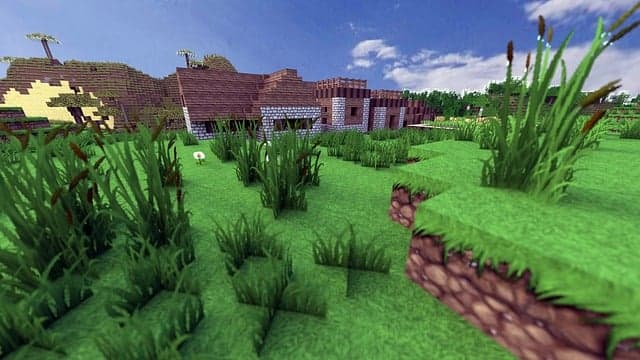
Safe visual mods are enhancements that work on top of the game without interfering with its code. These are post-processing programs that apply effects to the image after rendering. ReShade, one of the most popular tools for improving graphics, falls into this category. It adds bloom effects, color correction, depth of field, increased detail, and other filters. These types of changes are considered relatively safe because they do not give the player an advantage and do not modify game files. However, it is important to always use only the standard features of the program and not to install third-party plugins or scripts that can affect memory or interfere with Roblox’s internal processes. It is also considered safe to use the visual settings of the video card — for example, color correction via the NVIDIA or AMD control panel. Such changes occur at the driver level and do not interfere with the game itself, so they do not violate the rules.
The danger arises when visual mods go beyond simple image processing. Some modifications can increase contrast so much that dark areas become completely visible, which could theoretically give an advantage in modes with hiding, fog, or poor lighting. Although this is still a visual effect, its use may be interpreted by the system or moderators as an attempt to alter gameplay. Another risk is mods that modify Roblox client files. These include custom textures, replaced models, modified shaders, or changes to game directories. Such modifications violate Roblox’s rules because they interfere with the structure of the game and can lead to a ban. Even if a mod looks harmless, any modification of client files is prohibited by the platform.
Tools that attempt to influence Roblox’s memory or processes are also considered dangerous. Some programs position themselves as “graphics enhancers,” but in reality, they infiltrate the game process and interact with it at the code level. Unlike ReShade, which simply applies filters to the image, such programs alter the client’s behavior and are therefore considered cheats. Another category of prohibited modifications is tools that change the field of view, remove fog effects, smoke, darkness, or other visual limitations. In most modes, this gives an advantage, which means it falls under the definition of unfair play.
When using visual modifications, it is important to remember a few rules. Never download mods from unverified sources: many “graphics enhancers” contain hidden cheat functions that can get you instantly banned. Do not install any programs that require you to disable protection, integrate into the Roblox process, ask you to disable your antivirus, or change system files. Only use visual enhancements that work on top of the image and do not interact with client files. Always follow Roblox’s official recommendations — if a mod violates even one rule, it is not worth the risk.
In conclusion, only mods that do not change in-game mechanics, do not give advantages, and do not interfere with the Roblox client are considered safe visual mods. All enhancements that work as filters on top of the image are generally acceptable, although Roblox does not officially support them. Any mods that affect memory, game structure, or give the player an advantage are dangerous and prohibited. If you follow these principles, you can improve the graphics without risking your account and still maintain a completely fair gaming experience.